01 / Open
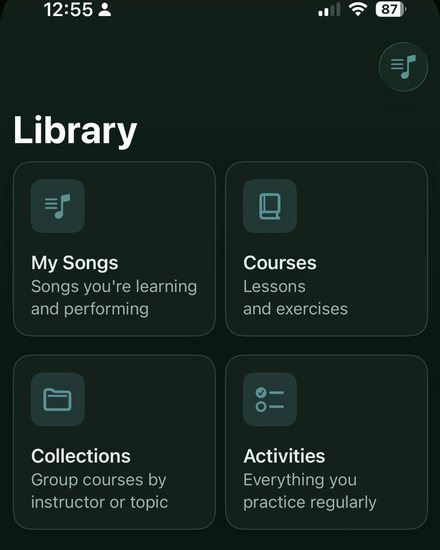
Open the part you're working on
- Jump into a song or lesson from Practice home.
- Your recent material is waiting. No digging through old clips.
RunThrough is a music practice app for iPhone, iPad, and Mac that records your takes and compares them side by side. Put this week next to last week and stop guessing whether practice is working.
Free to join · Launch updates by email · Unsubscribe anytime
The compare
Your memory of a take starts cleaning up the mistakes within about thirty seconds. That's the 30-Second Memory Window, and it's why “that felt fine” is useless feedback.
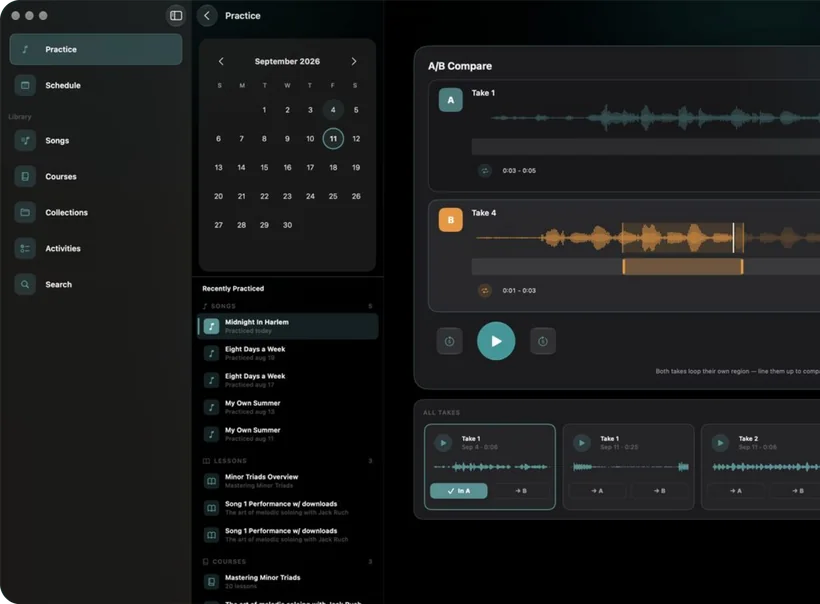
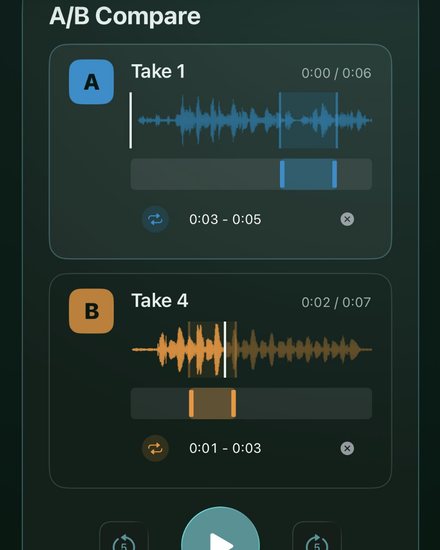
A recording doesn't clean anything up. Put today's take next to last week's, flip between them, and you'll hear exactly what changed.
Flips A/B every loop
Last week the fill in bar five ran ahead of the beat. Today it lands where it should. You'd never catch that from memory.
Same notes, cleaner attack. The level stops jumping around every time you dig in.
Take 1 chops the long notes short. Take 4 lets them ring into the next bar.
Try it on the part you're stuck on.
Free · Launch updates by email · Unsubscribe anytime
Join the waitlistVoice Memos vs RunThrough
Voice Memos is great for catching an idea before it's gone. It was never built to tell you whether you're getting better, so the clips pile up and you stop opening them. The difference isn't the recorder. It's what happens after you hit stop.
| Compared on | Voice Memos | RunThrough |
|---|---|---|
| Made for | Grabbing an idea before it's gone | Working a part until it's better |
| Where takes end up | One long list of "New Recording 214" | Filed under the song or lesson you're practicing |
| Hearing what changed | Play one clip, open another, try to remember the first | Two takes side by side. Flip A/B mid-phrase |
| The hard bars | Scrub back by hand, again and again | Loop the same bars in both takes |
| Practicing with a lesson | Switch apps, lose your place | YouTube lesson and your takes on one screen |
| Notes | Rename the file and hope you remember why | A quick note on every take, while it's fresh |
The Momentum Loop
Plateaus usually aren't a talent problem. They're a feedback problem: you can't fix what you can't hear. RunThrough is built around one short loop we call the Momentum Loop, and every lap starts a little higher than the last.
01 / Record
Same bars, same tempo, one take. Short enough that you'll actually do it again tomorrow.
02 / Compare
Today's take next to last week's. Your ears make the call, not your mood.
03 / Adjust
Fix the one thing you heard, then go again. Small fixes stack up into weeks of progress.
A real session
Open the song, loop the hard bit, record a take, compare. The whole thing takes about as long as tuning up.
01 / Open
02 / Loop
03 / Record
04 / Compare
Everywhere you practice
Your takes follow you between iPhone, iPad, and Mac, so the one you recorded on the couch is waiting when you sit down to listen properly.
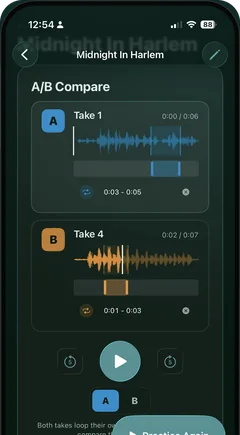
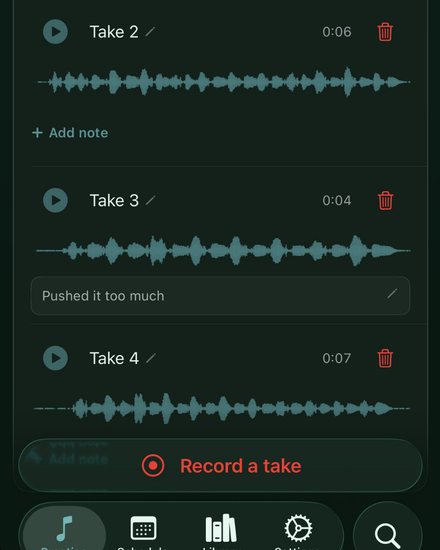
Record where you practice. One tap, straight from the song you're on.
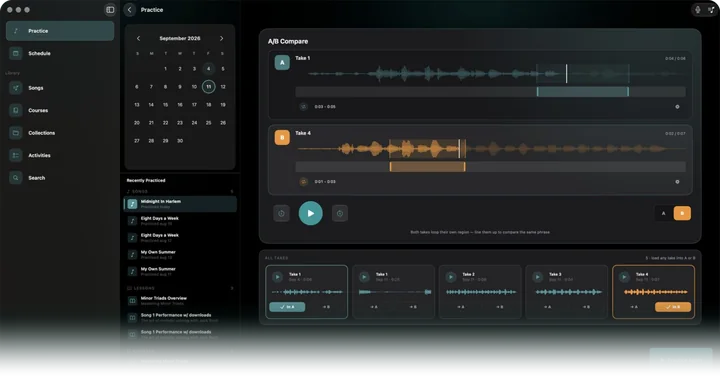
Line up every take from the week on the big screen and actually listen.
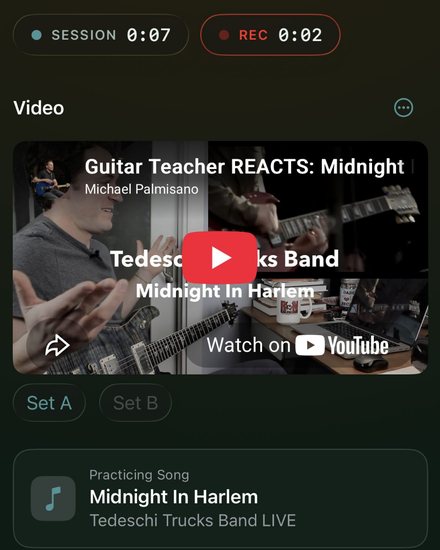
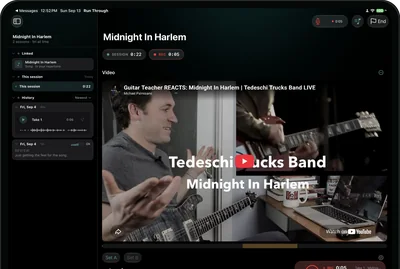
Lesson on screen, take running underneath. Loop the video's hard bars.
Why I built it
I'd spend a week on a part, sit down to play it, and sound exactly the same. I never really knew if I was getting better or just putting in time.
So I went deep on how practice actually works: the research on deliberate practice, and what separates the reps that move you forward from the ones that just burn time. The short version: you need feedback you can trust, and your memory of how a take went isn't it.
RunThrough is what came out of that. Record a take, put it next to one from last week, and hear what changed. It's the only practice app I've found that puts two takes side by side, on iPhone, iPad, and Mac.
If you practice a lot and still aren't sure it's working, I built this for you.
Carl
Guitarist · Maker of RunThrough
FAQ
Straight answers about the app, pricing, and how it's different from what's already on your phone.
On iPhone that's usually Voice Memos; on Mac it might be QuickTime, GarageBand, or whatever you already use. Those tools are fine for a quick capture, but they were never built for practice as a loop. Your clips pile up with useless names, there's no side-by-side compare, and jumping from last week to today is a chore. RunThrough is one place to record, put two takes side by side, and hear what actually changed.
You're not paying for a microphone. You're paying for the compare step, which is the one thing your phone and the other practice apps leave out: two takes side by side so you can flip between them and hear what changed. Plus organization, and less time lost digging through files or moving audio into a DAW. RunThrough is built so you keep a habit of record, compare, and improve, not record-and-forget. In the app it's $4.99/mo or $39.99/yr (about $3.33/mo), each with a 14-day free trial for eligible new subscribers (one per Apple Account), or, where offered, a one-time Lifetime purchase at $119.99 if you'd rather buy it once. These are introductory launch prices, which we plan to raise after launch.
Instead of record-and-forget, you get a short loop: record a focused take, compare it to the last one, and know what to fix next. That's the habit that makes improvement audible instead of guessed.
Because without a recording, all you have is your memory, and memory cleans up the mistakes within about thirty seconds (what we call the 30-Second Memory Window). You finish a part, it felt fine, and you move on with no real idea whether it changed. Record one quick take of whatever you're working on and you can compare it to last week and actually hear the difference. That's the whole habit: one take, then compare. It's the difference between knowing you're improving and hoping you are.
Source: Short-term memory holds information for about 15 to 30 seconds (Cleveland Clinic)
RunThrough is a music practice app for iPhone, iPad, and Mac that helps you record takes, compare them, and hear your progress over time. It's built for musicians who already practice and want honest feedback from their own playing.
Joining the waitlist on this site is free. In the app, RunThrough is $4.99/mo or $39.99/yr (about $3.33/mo), each with a 14-day free trial for eligible new subscribers (one per Apple Account), or, where offered, a one-time Lifetime purchase at $119.99. These are introductory launch prices, which we plan to raise after launch. Joining the waitlist doesn't lock in a price.
Yes, where offered. Lifetime is a single $119.99 purchase that gets you every feature, including future updates, with no recurring bill. The monthly and annual plans each include a 14-day free trial for eligible new subscribers (one per Apple Account); Lifetime doesn't, since it's a one-time buy.
No. Signing up here only adds you to our waitlist, once you confirm the email we send. We'll email you a confirmation, a welcome and occasional updates about RunThrough's launch. Unsubscribe anytime. It doesn't give you early access to the app or lock in a price. Subscriptions are handled in the app after release.
Waitlist
RunThrough isn't out yet. Join the waitlist for launch updates.
When it ships: a paid app with a free trial for eligible new subscribers, plus a Lifetime option where offered. Launch prices are introductory, and we plan to raise them after launch. The real numbers are in the FAQ.